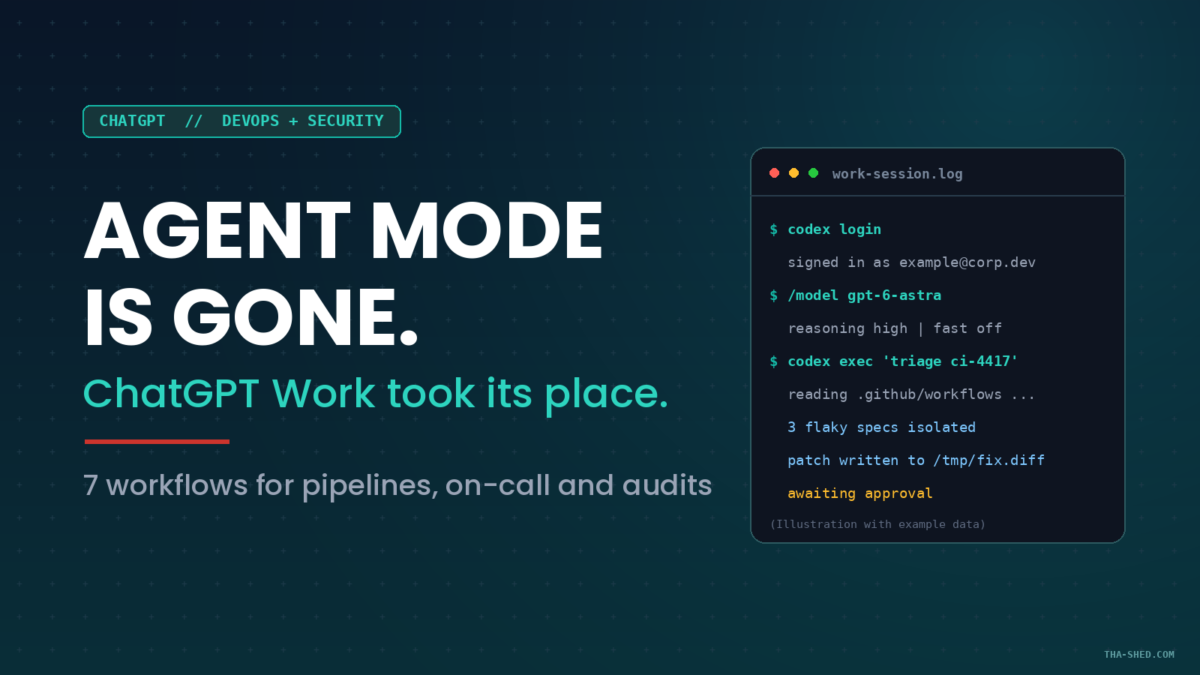
OpenAI retired agent mode and folded it into ChatGPT Work, a separate surface built for multi-step tasks and finished deliverables. Here is the setup that matters, seven workflows worth stealing, and the permission setting that decides how bad a prompt injection gets.
See the setup and two of the workflows in action, tap through the tabs below:
codex-cli // first run
curl -fsSL https://chatgpt.com/codex/install.sh | sh

codex
# sign in with your ChatGPT account when prompted
# then, inside the TUI:
/model gpt-6-astra
work // flaky test triage
codex exec "Read the last 30 runs of .github/workflows/ci.yml
from the GitHub CLI. Identify specs that fail non-deterministically.
For each one: name the test, the likely race or shared-state cause,
and the smallest fix. Write a patch to /tmp/flaky.diff.
Do not push. Do not touch main."
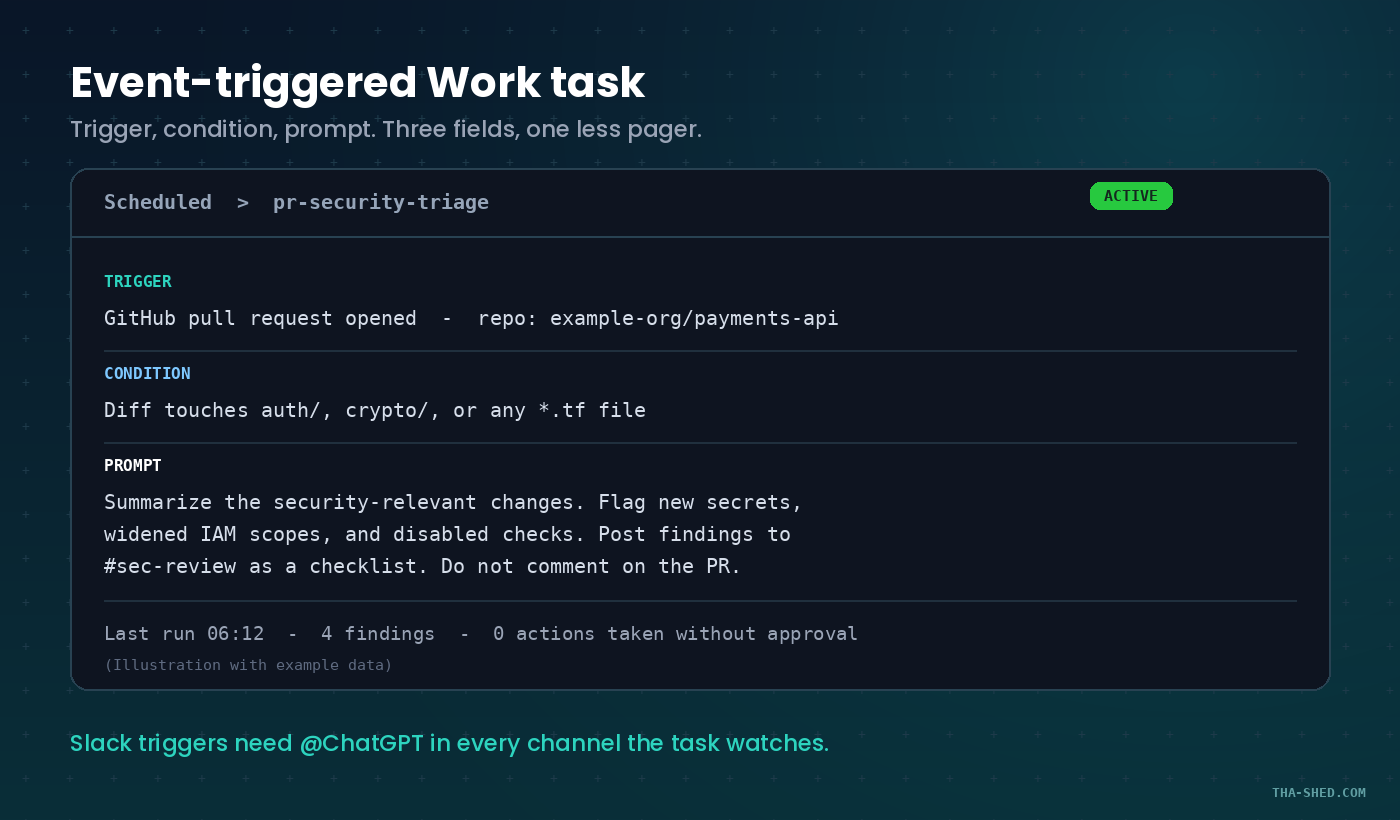
work // event-triggered task
Trigger:   GitHub pull request opened in example-org/payments-api
Condition: diff touches auth/, crypto/, or any *.tf file
Prompt:    Summarize the security-relevant changes. Flag new secrets,
           widened IAM scopes, and disabled checks. Post findings to
           #sec-review as a checklist. Do not comment on the PR.
gotchas // read before you delegate
Work is metered, not unlimited. It draws on the same allowance as Codex, and the faster models burn it quicker. A vague prompt is an expensive prompt.
Cloud browser has its own cookie jar. It does not inherit your logged-in tabs, saved passwords, or extensions. You sign in separately, through a form the model cannot read.
Site permission is not action approval. Allowing a domain does not pre-approve a booking, a payment, or a merge. Those still stop and ask.
Slack triggers need the bot in the room. Add @ChatGPT to every channel a triggered task is supposed to watch, or it watches nothing.
What actually changed
If you have been following tutorials written six months ago, delete the muscle memory. Typing /agent in the composer does nothing now. OpenAI's own help page says it plainly: ChatGPT agent is no longer available, and the work it used to do has moved into ChatGPT Work, with browser automation handled by the new cloud browser.
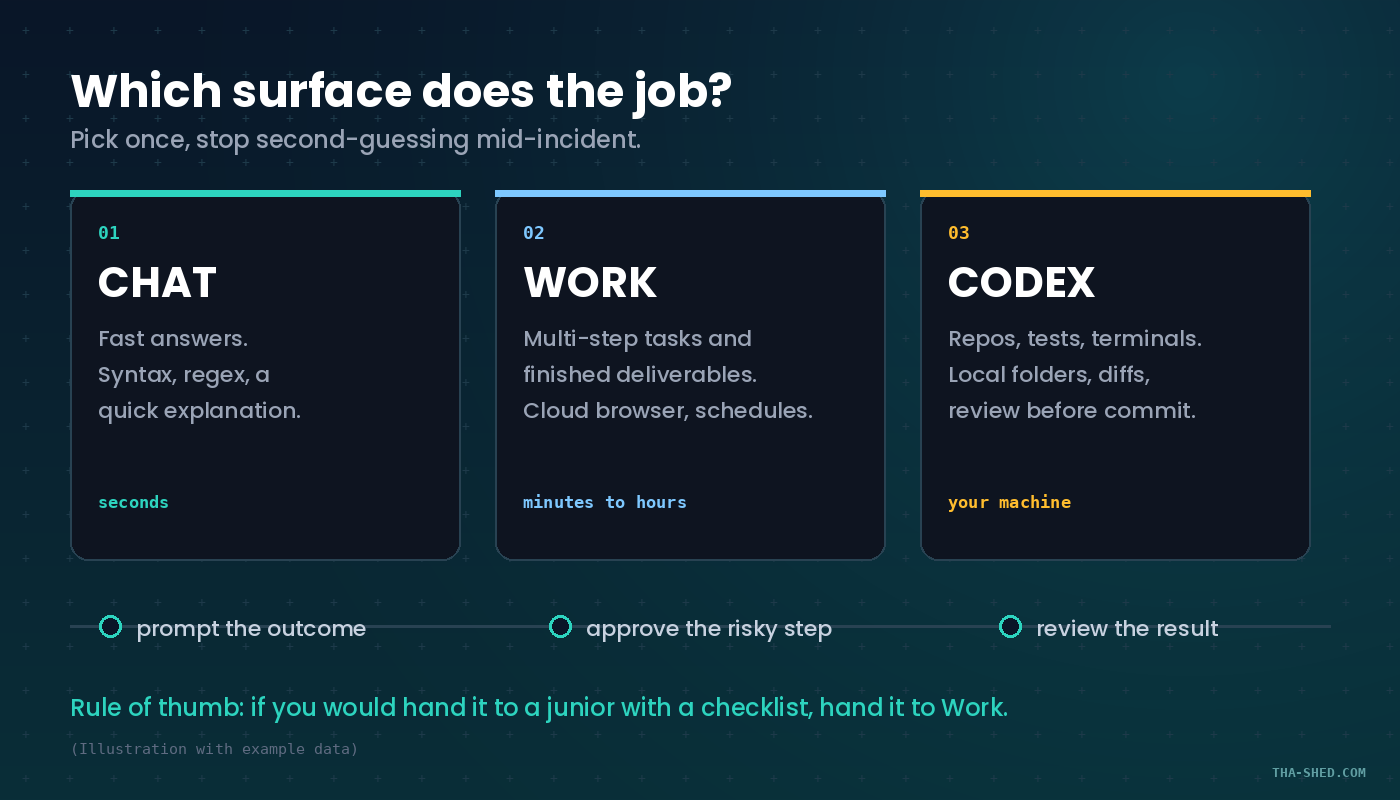
This is not a rename. It is a split. ChatGPT now has three surfaces, and picking the wrong one is the single biggest reason people say "AI is useless for my job." Chat is for fast answers. Work is an agent for longer, multi-step tasks that end in a deliverable: a document, a spreadsheet, a report, a Site. Codex is for repos, tests, terminals, and diffs. Work is rolling out gradually, so if you do not see it yet, your account is still in the queue.
Quick setup, about ten minutes
Three things, in order.
1. Install the Codex CLI. It is open source, written in Rust, and included with Plus, Pro, Business, Edu, and Enterprise plans. On macOS or Linux, run the installer from the widget above. On Windows you can run it natively in PowerShell with the Windows sandbox, or drop into WSL2 when you need a Linux-native environment. Run codex, sign in with your ChatGPT account, and you are live.
2. Set your cloud browser permission. Settings, then Cloud browser. The default is "Always ask." Leave it there for a week before you consider loosening it. More on this below, because it matters more than any prompt you will ever write.
3. Create one Project per long-running effort. Projects hold chats, files, and instructions together, and project instructions override your global custom instructions inside that project. File limits go by plan: five files on Free, twenty-five on Go and Plus, forty on Edu, Pro, Business, and Enterprise. Set project-only memory if the work touches anything you do not want bleeding into unrelated chats.
The mindset: delegate outcomes, not keystrokes
The teams getting value out of Work are not the ones with clever prompts. They are the ones who learned to write a brief instead of an instruction. A brief has four parts: the outcome you want, the constraints you will not bend on, the material it should use, and the review criteria you will judge it by.
Compare "check the logs for errors" with "read the last two hours of the payments-api error stream, group by exception class, and tell me which group is new since the 14:20 deploy. If none are new, say so and stop." The second one is a brief. The first one is a coin flip.
Seven workflows worth stealing
1. Flaky-test triage that ends in a diff
This one belongs to Codex, not Work. Point it at the repo and let it read CI history itself. The copy button on tab 02 above has the exact prompt. The important parts are the negative constraints: write the patch to a temp file, do not push, do not touch main. Codex has approval modes for a reason, and a coding agent with commit rights on day one is a bad first date.
2. Security review that fires on the pull request, not on your calendar
Work supports event-triggered tasks on Plus, Pro, Business, Enterprise, Edu, and Healthcare accounts. Supported events include new Gmail messages, new Slack channel messages, and GitHub pull request activity in an authorized repo. Each task has three fields: Trigger, Condition, Prompt.
The condition field is where the value is. A task that reviews every PR is noise. A task that only fires when the diff touches auth, crypto, or Terraform is a reviewer who never gets tired.
3. The dependency and advisory sweep
Schedule a Work task for 06:00 daily. Ask it to pull your lockfile from the connected repo, cross-reference the published advisories for the packages that changed this week, and produce a table with three columns: package, severity, and whether your code actually calls the vulnerable path. That third column is the one that turns a 40-item scanner dump into a 3-item morning.
4. Incident channel to postmortem draft
After the fire is out, hand Work the Slack export and the deploy timeline. Ask for a blameless draft with a timeline table, contributing factors separated from root cause, and action items each assigned to a named role rather than a person. It will not write the postmortem for you. It will get you past the blank page, which is where most postmortems die.
5. Compliance evidence gathering with cloud browser
This is the workflow that justifies the whole feature. Cloud browser runs on a separate machine in the cloud, keeps its own cookies and sessions, and can carry on after you close your laptop. Point it at a vendor portal, have it sign in through the secure form, and collect the artifacts your auditor keeps asking for: SOC 2 report dates, subprocessor lists, incident history. It pauses for sign-in and for anything consequential.
6. Runbook reality check
Take your oldest runbook. Paste it into a Work chat with the current infrastructure code and ask it to find every step that no longer matches reality: hostnames that were renamed, a dashboard that moved, a flag that was deprecated. Runbook rot is silent until 03:00, and this is a 20-minute audit that nobody on your team wants to volunteer for.
7. The Friday "what actually changed" report
One scheduled Work task, running Fridays at 16:00, that reads the week's merged PRs, closed incidents, and infra changes, then writes a short narrative for people who do not read your commit log. Manage it all from the schedules page. This is the workflow that quietly gets DevOps people promoted, because it makes invisible work visible.
Safety and the gotchas nobody leads with
Cloud browser has three permission modes, and the one you pick is a security decision, not a convenience decision.
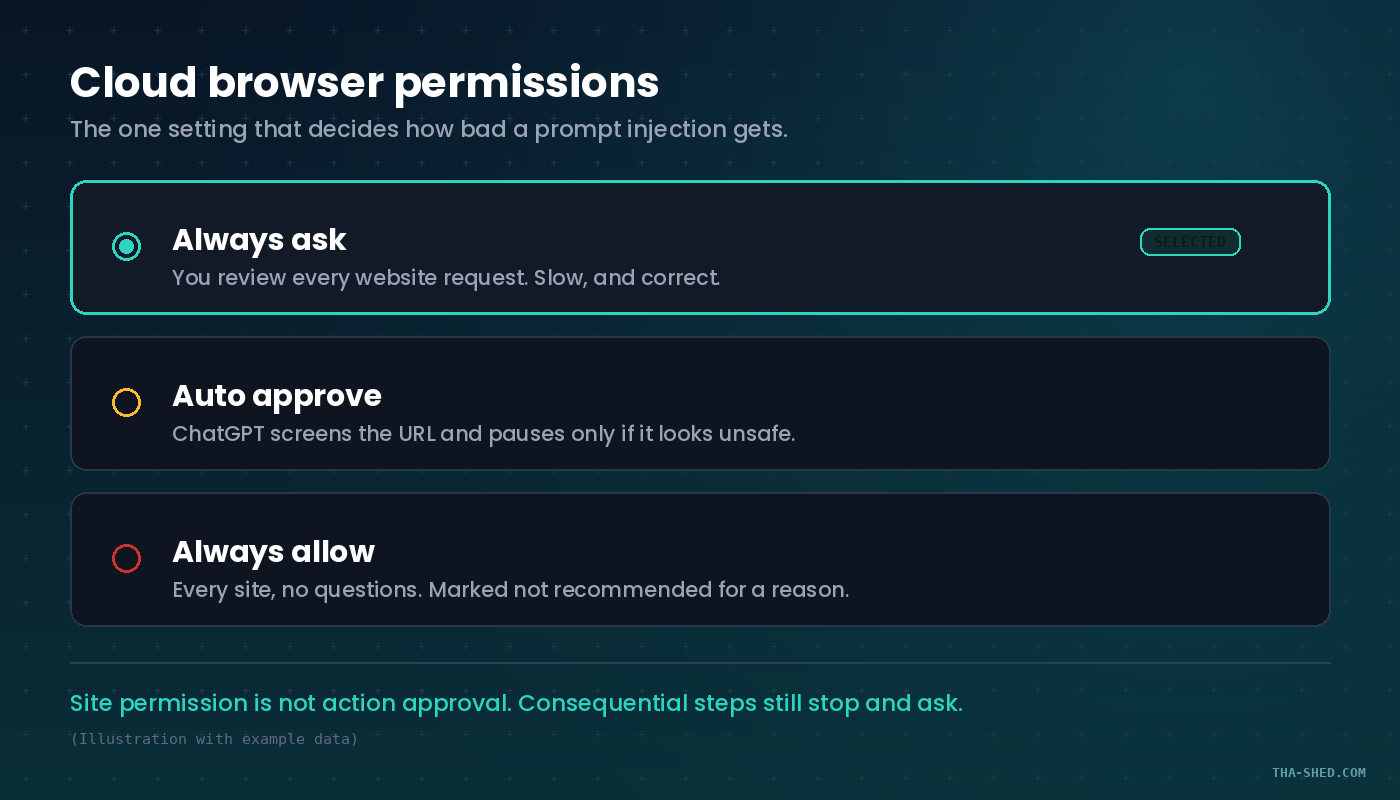
Prompt injection is the real threat model. OpenAI's own documentation walks through the scenario: you ask the agent to plan a dinner using your calendar and email, it reads a poisoned page, and the poisoned page tells it to fetch a password reset code and send it somewhere else. The safeguards are real and layered. They are not absolute. Treat every page the agent reads as untrusted input, because it is.
Never paste credentials into the conversation. There is a secure sign-in form for exactly this. Credentials entered there go straight to the remote browser and are not visible to the model. If you type a password into the chat box, you have defeated the design.
Enable only the apps the task needs. A connected Gmail is a feature when you are triaging your inbox and a liability when you are browsing a vendor site. Review app permissions the same way you review IAM roles.
Avoid open-ended delegation. "Check my email and handle everything" is the prompt equivalent of a wildcard IAM policy. Scope it.
Sites can block you. Plenty of sites restrict automated browser agents. That is the site's call, not a bug in your prompt. Take over the browser or finish that step yourself.
Usage and cost, briefly
Work shares its usage structure with Codex, and the allowance is per plan rather than per message. Two habits keep the meter down. First, front-load context: a Project with the right files attached beats re-explaining your stack in every chat. Second, match the reasoning level to the task. Running maximum reasoning on "reformat this YAML" burns allowance you will want later during an incident. And if you already lean on Codex, note that the newest model needs CLI version 0.153.0 or newer, so upgrade before you go hunting for a bug that does not exist.
If you are building an agent habit across tools, our write-up on MCP connectors for DevOps and security covers the same delegation pattern from the other vendor's side, and the Copilot CLI tutorial is the third leg of the terminal-agent stool.
FAQ
Is ChatGPT agent mode really gone, or just hidden?
Gone. OpenAI's help center states that ChatGPT agent is no longer available and directs users to ChatGPT Work for multi-step tasks and to cloud browser for browser workflows. Operator, the earlier standalone product, was folded into agent mode before that, and its website is no longer accessible. If a tutorial tells you to type slash-agent, it is out of date.
Can ChatGPT Work touch files on my machine?
In the desktop app, yes, if your plan and workspace allow it. Open a local folder or project and grant access only to what the task needs. Work on web and mobile cannot reach local files at all. Note that messages and task context may still be stored in the cloud even when the work itself runs locally.
What is the difference between a Project and a custom GPT?
A Project is a live context hub that evolves as you add chats, files, and instructions, and it can be shared with a team. A custom GPT is a static, curated assistant you configure once and reuse. Projects are for an ongoing effort. GPTs are for repeatable knowledge that spans efforts.
Where to start
Pick workflow number two. Set up one event-triggered task with a narrow condition, let it run for a week, and count how many findings it surfaced that a human would have skimmed past. That single task is a better argument for agentic tooling than any demo video, because it runs on your repo, on your rules, with your name on the review.
Then go build the other six. If you want the structured version of this, with the security review and incident-response material laid out properly, take a look at our courses.