Set up ChatGPT once with the right instructions, then use Projects, Code Interpreter, and Custom GPTs to cut real hours off log triage, postmortems, and audits.
See the workflow in action, tap through the tabs below:
$ one-time setup, takes 5 minutes
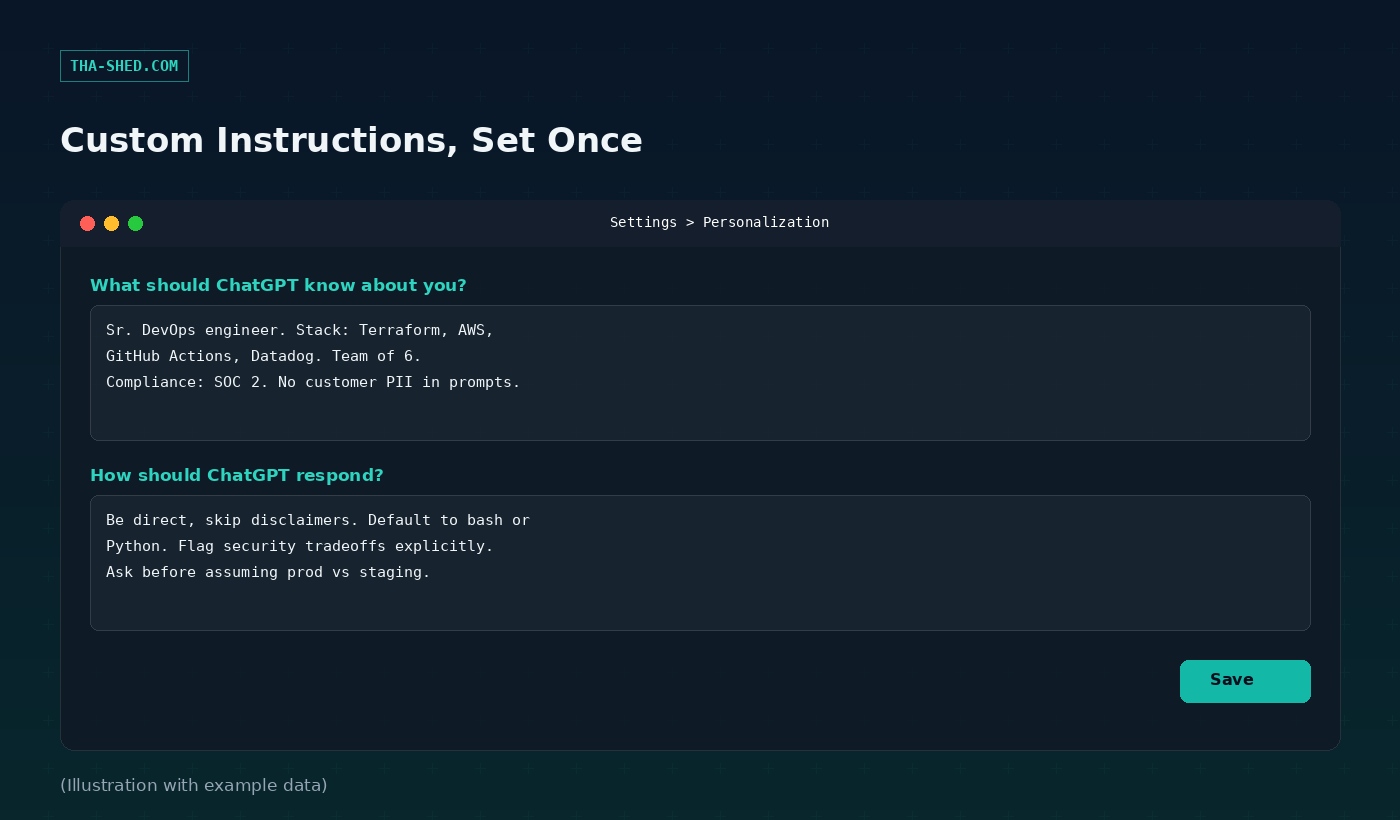
Settings -> Personalization -> Custom Instructions

What should ChatGPT know about you?
"Sr. DevOps engineer. Stack: Terraform, AWS,
GitHub Actions, Datadog. Team of 6.
No customer PII or real credentials in prompts."

How should ChatGPT respond?
"Be direct, skip disclaimers. Default to bash
or Python. Flag security tradeoffs explicitly.
Ask before assuming prod vs staging."
$ turn timeline notes into a blameless writeup
Here's my raw incident timeline (timestamps,
what we saw, what we tried). Turn this into a
blameless postmortem: summary, impact, root
cause, timeline table, and 3-5 concrete action
items with owners left as [OWNER].

[paste timeline notes]
Before you paste anything: strip real secrets, keys, and customer data. Free and Plus chats can be used to improve OpenAI’s models unless you turn that off in Data Controls. Business and Enterprise plans exclude your data from training by default.
Memory drifts. ChatGPT’s memory only works in regular chats, not inside Custom GPTs, so don’t assume a GPT “remembers” your last conversation.
Verify before you run it. Treat every generated command or script as a draft. Read it, run it in staging, then ship it.
What ChatGPT Actually Is (And What It Isn't)
ChatGPT is OpenAI's chat interface on top of its GPT models. It is not an IDE plugin, not an agent that lives in your terminal, and not something that watches your infrastructure. It is a very capable text and code partner that only knows what you tell it in the conversation, unless you set up memory, custom instructions, or a Project to give it standing context. For DevOps and security folks, that distinction matters. ChatGPT will not SSH into your box. It will write the script you SSH in and run yourself.
Most people use maybe 10% of what it can do because they never get past the free tier default settings. The rest of this post is about closing that gap.
Quick Setup
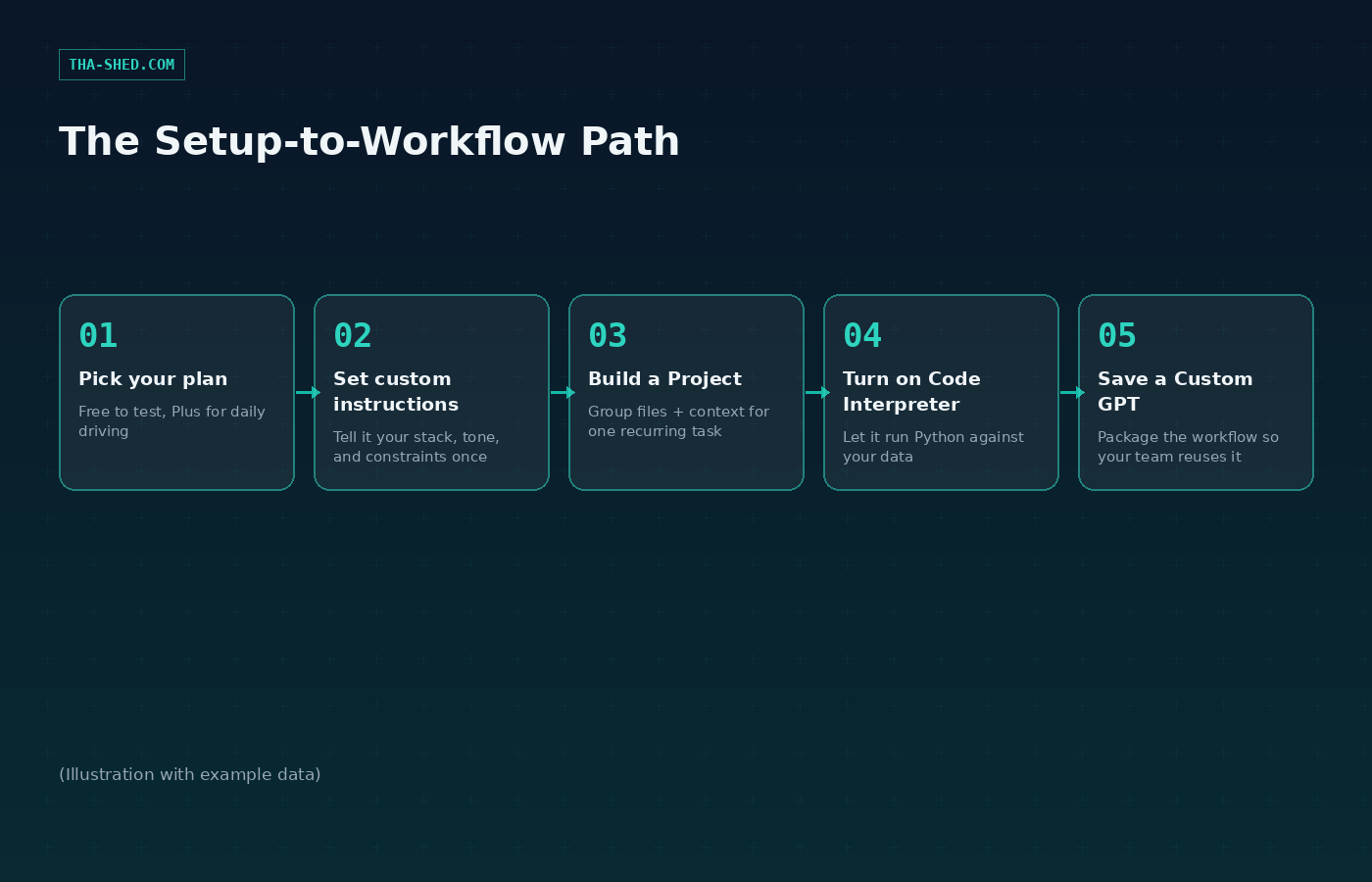
Sign up at chatgpt.com. Free gets you GPT-5 with usage caps and slower responses at peak times. Plus runs $20 a month and unlocks faster responses, higher limits, and full access to Projects, Custom GPTs, and Code Interpreter. If you are burning through Plus limits daily, Pro sits at $100 a month for roughly 5x the usage of Plus, or $200 a month for about 20x Plus usage plus unlimited voice. If you're rolling this out for a team, Business runs $25 per seat billed monthly (cheaper annually) starting at two seats, and adds SSO, admin controls, and the guarantee that your prompts are not used for model training.
Once you're in, go to Settings, then Personalization, then Custom Instructions. This is the single highest-leverage five minutes you'll spend. Tell it your stack, your team size, your compliance constraints, and your tone preference. It applies to every new chat from then on. See the SETUP tab above for a starting template.
The Mindset: Context Is the Product
The model doesn't change much between a mediocre session and a great one. What changes is how much relevant context you hand it before you ask for anything. Professionals who get real value out of ChatGPT treat it less like a search engine and more like a very fast, very literal new hire: brief it properly once, reuse that briefing, and it stops asking you the same clarifying questions every session.
That's what Custom Instructions, Projects, and Custom GPTs are for. They're three different scopes of the same idea: instructions that apply globally, instructions that apply to one ongoing effort, and instructions plus files packaged into a reusable tool you can hand to a teammate.
7 Workflows That Actually Save Time
1. Log triage without writing a parser
Paste a chunk of logs (auth.log, an nginx access log, a CloudTrail export) straight into the chat and ask for a plain-English read: what's normal, what's not, and the exact grep or jq command to pull every matching line from the full file. It's faster than writing a one-off script for a log format you'll only ever look at once. See the LOG TRIAGE tab above for the exact prompt.
2. Blameless postmortems from raw notes
You already have the incident timeline in Slack, a doc, or your head. Paste the raw, messy version and ask for a structured postmortem: summary, customer impact, root cause, a timeline table, and 3 to 5 action items with owners left blank for you to fill in. Turns 45 minutes of writing into 5 minutes of editing. See the POSTMORTEM tab above.
3. Terraform and IaC review before it merges
Paste a plan or a diff and ask specifically for security and cost issues, not a general code review. "Review this Terraform plan for over-permissive IAM, unencrypted storage, and missing tags. Ignore style." Narrow asks get sharper answers than "review my code."
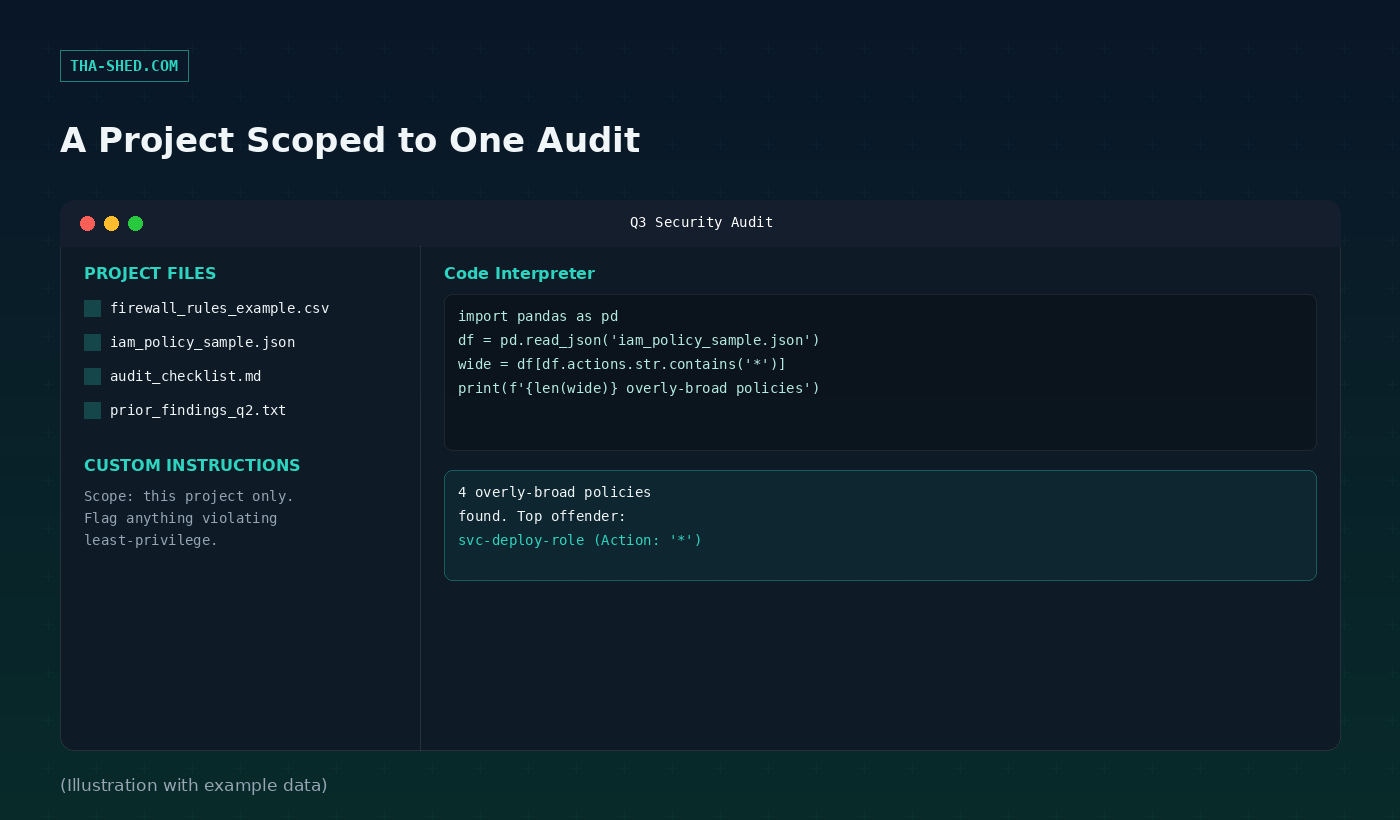
4. A Project scoped to one audit or migration
Projects group chats, uploaded files, and project-specific instructions under one workspace, and those instructions override your global ones for anything inside that project. Spin one up per quarter for your SOC 2 audit evidence, or per migration for your Kubernetes upgrade. Drop in your checklist, prior findings, and policy exports, then work the whole effort inside that one Project so nothing bleeds into unrelated chats.
5. Code Interpreter for structured data you'd normally script
Upload a CSV of firewall rules or a JSON export of IAM policies and ask it to run the analysis in Python directly, not describe how you'd do it. It executes real code in a sandboxed environment and shows you the output, which means you can ask follow-up questions against the same data without re-uploading. Good for one-off audits where writing a proper script isn't worth the time.
6. A Custom GPT as your team's on-call assistant
Build a GPT once with your runbooks, escalation paths, and common fixes as knowledge files, then share it with your team. Anyone on-call can ask it "what's the fix for high Redis memory" and get your team's actual documented answer instead of a generic one. Building one takes the GPT Builder's conversational flow: describe what you want, it drafts the configuration, you refine it.
7. Deep Research for threat intel digests
Deep research mode runs multi-step web research and returns a documented report with sources, instead of a single-pass answer. Point it at a CVE, a threat actor, or a compliance change ("summarize what changed in the latest CISA KEV catalog additions this month and what's relevant to a company running AWS and Kubernetes") and let it do the reading. It's slower than a normal chat, usually a few minutes, so use it for the digest work you'd otherwise batch for Friday afternoon.
Safety and Gotchas
Don't paste real secrets, API keys, customer PII, or production credentials into any prompt, ever, regardless of plan. Assume anything you paste could be logged. On Free and Plus, your conversations can be used to improve OpenAI's models unless you disable that in Settings, Data Controls. Business and Enterprise plans exclude your data from training by default and add admin-level controls, which is the real reason teams upgrade past Plus.
Memory does not carry into Custom GPTs. Each GPT conversation starts fresh regardless of what regular ChatGPT remembers about you, so don't assume continuity that isn't there. And treat every command, script, or config change it suggests as a draft that a human reads before it touches anything real. It will confidently generate a plausible-looking IAM policy that's subtly wrong. That's not a ChatGPT problem specifically, it's a "language models are not compilers" problem, and it applies everywhere in this category.
Usage and Cost Tips
Start on Free to test whether your workflows even fit the tool before paying for anything. Move to Plus the first week you hit a usage wall or want Projects and Code Interpreter, both of which are gated above Free. Don't jump straight to Pro; the $100 and $200 tiers exist for people running heavy, near-continuous sessions, not for someone who chats a few times a day. If you're rolling this out past yourself, Business at $25 a seat is usually the right call over individual Plus subscriptions the moment you need shared billing or the no-training guarantee.
FAQ
Is it safe to paste proprietary code into ChatGPT? On Free or Plus, only if you've turned off "improve the model for everyone" in Data Controls, and even then, check your company's policy first. Business and Enterprise exclude prompts from training by default, which is why most companies standardize on one of those two for anything code-related.
Can a Custom GPT actually call my internal APIs? Yes, through GPT Actions. You define the API's endpoints and parameters (or import an OpenAPI schema) and describe when the model should call it. It's a real integration point, not just a knowledge base.
Does ChatGPT remember what I told it last week? Only in regular chats, and only if memory is turned on, which is available to Plus and above. It draws on saved facts like your role and preferences. Projects have their own separate memory scoped to just that project's conversations.
Where to Go Next
Set your custom instructions today, not "eventually." It's the one change that compounds across every single chat you have afterward. If you want the same 7-workflow breakdown for a coding-first tool instead, we covered Claude Code's DevOps and security workflows last week, and if you're building this out as a team capability rather than a personal habit, our courses go deeper on turning individual AI workflows into team-wide processes.