Cowork takes Claude Code style agency out of the terminal and points it at your actual job: files, reports, scheduled busywork. Here is how to point it well.
See the workflow in action, tap through the tabs below:
$ get cowork running
# In claude.ai, Claude Desktop, or the Claude mobile app,
# on any paid plan (Pro, Max, Team, Enterprise):

1. Open the message box
2. Select "Cowork" instead of "Chat"
3. Describe the outcome you want, not the steps
4. Review Claude's plan, then let it run

# Keep Claude Desktop open if the task needs your
# local files, browser, or connected apps.

# Turn any task into a recurring one:
/schedule
$ example prompt, scheduled 8:00 AM weekdays
Check our monitoring connector for alerts from
the last 12 hours. Group by service, flag
anything that fired 3+ times, and post a
5 bullet summary to #incidents. Skip anything
already acknowledged. Do not restart or modify
any service, this is a read only report.
$ example prompt, read-only audit
Scan the /infra folder I've connected for any
.env, .pem, or config files containing what
look like hardcoded credentials older than
90 days. Don't edit or move anything, just
return a table: file path, credential type,
last modified date, and your confidence level.
Prompt injection is the real risk. Cowork reads whatever is in your connected files, email, and web pages. A malicious instruction hiding in a ticket or a scraped page can try to hijack the session. Keep “Manually approve” on for anything touching money, messages sent as you, or files you’d hate to lose.
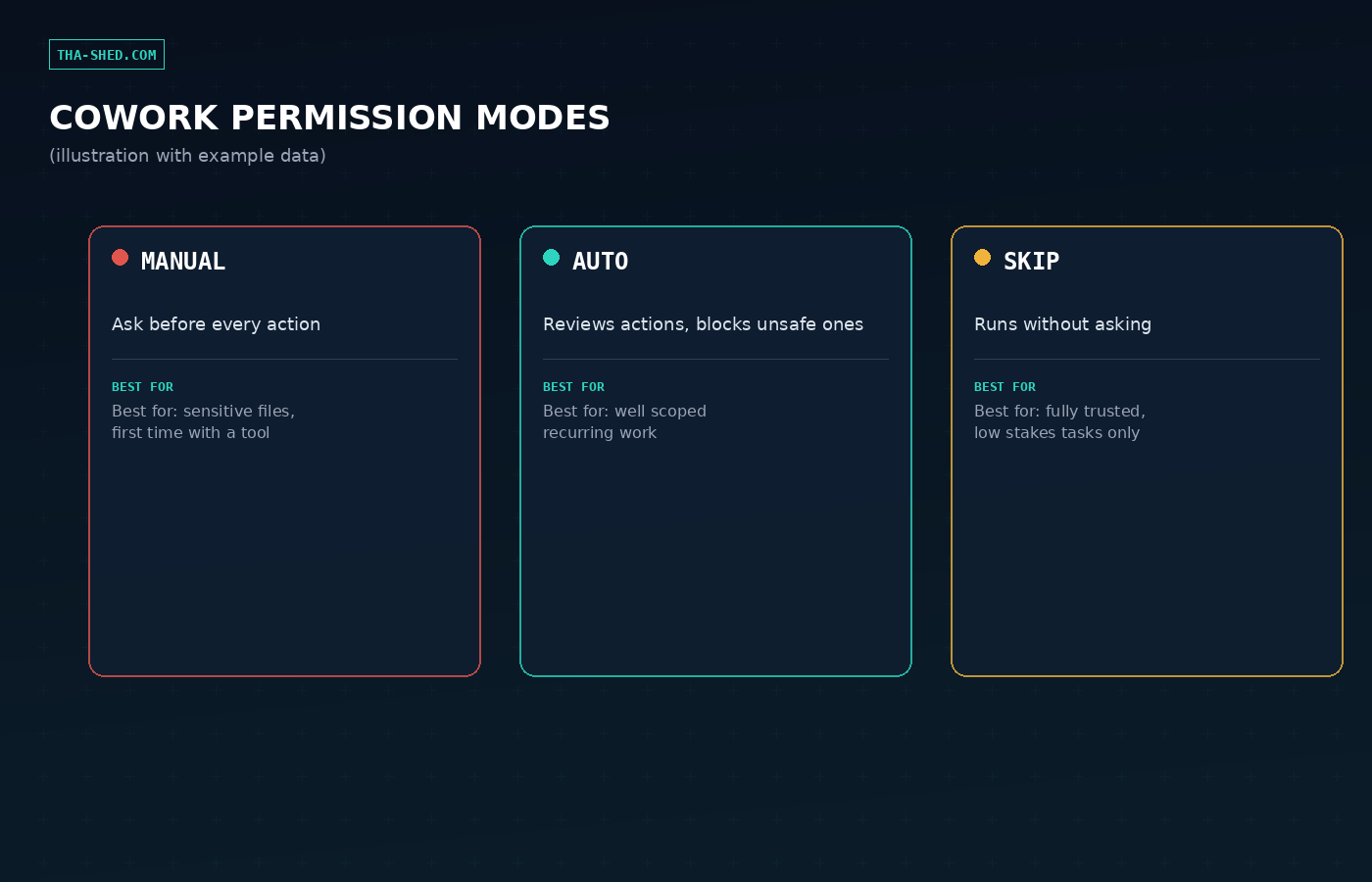
Auto mode still checks itself, it screens actions for safety before running them. “Skip all approvals” checks nothing. Never leave Skip mode on a scheduled task that touches sensitive folders.
Deletion always needs your explicit “Allow.” That one’s non-negotiable in every mode, which is one less thing to worry about.
Claude Cowork is the same agentic engine that powers Claude Code, minus the terminal. Instead of a chat that answers one message at a time, you describe an outcome, an audit, a report, a cleanup, and Claude plans it, runs it, and hands you the finished thing. For DevOps and security folks drowning in repetitive, file-heavy busywork, that distinction matters more than it sounds like it should.
What Cowork actually is
Cowork runs your session remotely on Anthropic’s servers, in an isolated environment created just for that task. When it needs something local, a file on your machine, your browser, a connected app, it reaches through the Claude Desktop app on your computer. Close your laptop mid-task and a remote session keeps going; open it back up from your phone and pick up where you left off. It ships on Pro, Max, Team, and Enterprise plans, on desktop, web, and mobile, and it is still rolling out gradually so don’t panic if a teammate has it and you don’t yet.
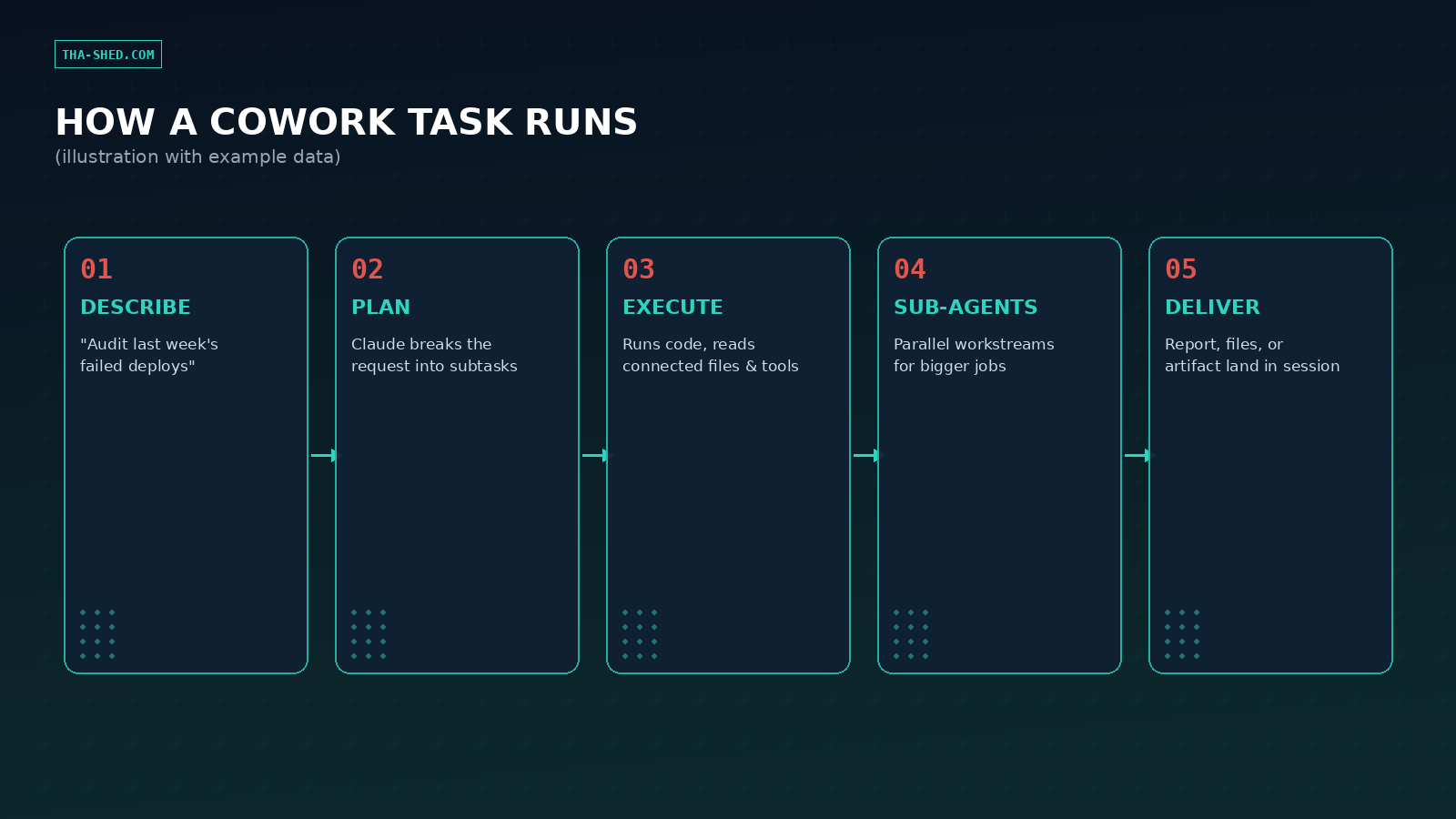
The mental model that trips people up: Cowork is not a smarter autocomplete for chat. It plans, breaks work into subtasks, sometimes spins up sub-agents to run pieces in parallel, and only comes back to you when it needs a decision or has something to show. Treat it like delegating to a sharp new hire, not like typing a better search query.
Quick setup
There’s no install here, which is the point. Open Claude on the web, desktop, or mobile, and pick “Cowork” instead of “Chat” in the message box. If the work touches local files, your browser, or a connected app, keep the Claude Desktop app open, remote sessions still need it to reach your machine. From Customize > Connectors in your own account, wire up whatever tools the task needs, your ticket tracker, your monitoring stack, Gmail, a shared drive. Then set your approval mode (more on that below) and give Claude a real task instead of a toy one.
The mindset: describe outcomes, not steps
The single biggest lever for getting good output out of Cowork is resisting the urge to write it a script. “Open the repo, check line 40, then check line 80” is chat energy. “Audit this repo for hardcoded secrets and give me a prioritized list” is Cowork energy. Give Claude the destination and the constraints, and let it figure out the route. It will show its plan before running anything consequential, so you’re not flying blind, you’re just not micromanaging.
Constraints matter more than steps. Tell it what NOT to touch (“read only, don’t modify service configs”), what format you want back (a table, a Slack post, a markdown report), and what “done” looks like. That’s the whole skill.
7 workflows worth stealing
1. Scheduled overnight alert triage
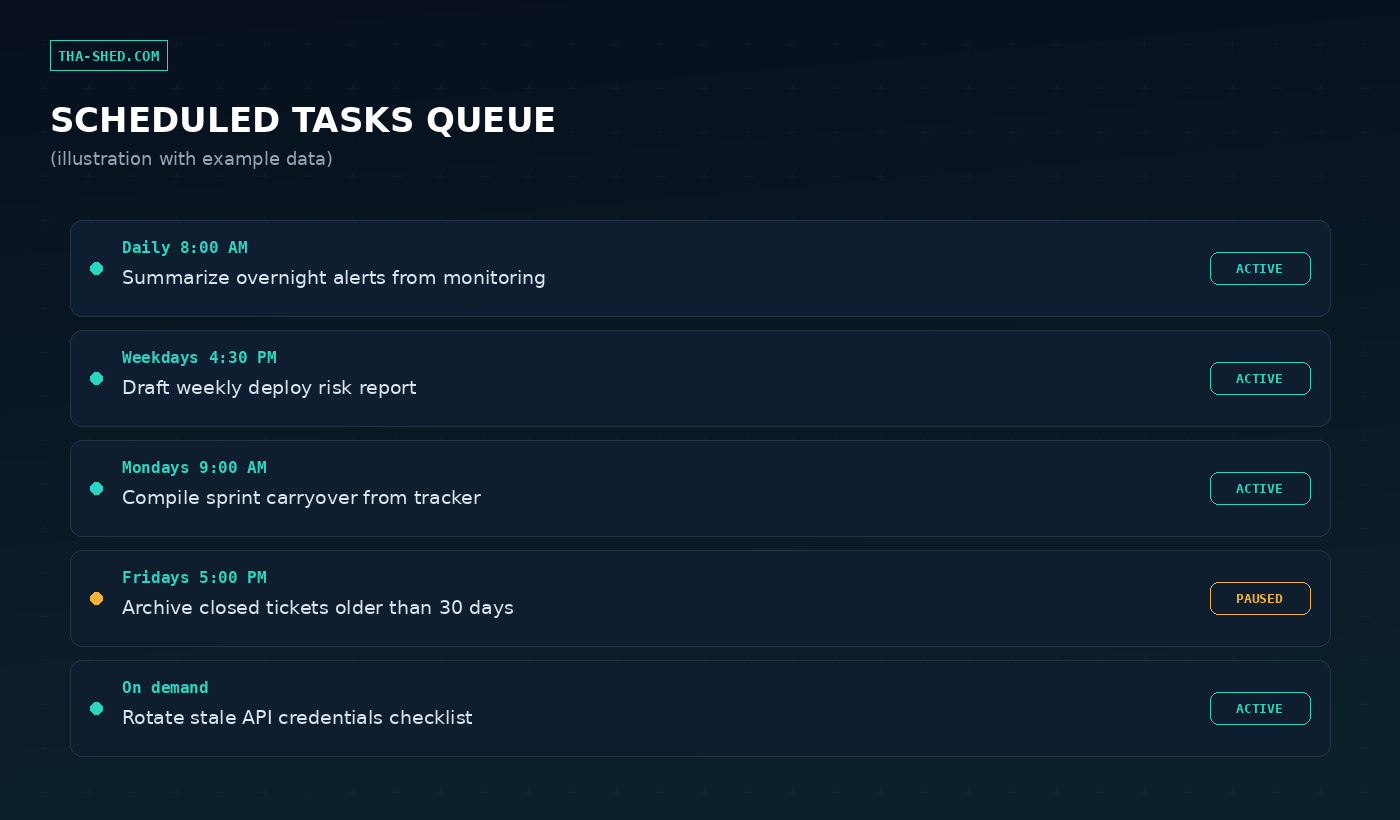
Instead of opening a wall of monitoring noise at 8 AM, schedule Cowork to pre-digest it. “Check our monitoring connector for alerts from the last 12 hours, group by service, flag repeats, post a summary to #incidents.” You review a summary instead of a firehose.
2. Auto-drafted incident postmortems
Point Cowork at your incident channel history, deploy logs, and monitoring exports after something breaks: “Draft a postmortem for last night’s outage: timeline, root cause candidates, and an action items table.” You edit a draft instead of staring at a blank page an hour after a bad night.
3. Read-only credential and config hygiene sweeps
Connect an infra or config folder and ask Cowork to flag stale secrets, expired-looking tokens, or hardcoded credentials, explicitly read-only. This is a great low-stakes way to build trust in Auto mode before you let it touch anything that writes.
4. Meeting transcripts into ticket-ready specs
Drop a transcript or rough notes in a connected folder: “Turn this into a spec with goals, non-goals, and acceptance criteria, formatted for our tracker.” Cowork produces a structured draft, you and the team argue about the actual decisions instead of the formatting.
5. Weekly stakeholder status reports
Connect your project tracker and calendar and schedule a Friday afternoon run: “Summarize this week’s shipped work, open risks, and next week’s priorities as a status update for leadership.” Same job the n8n workflow automation crowd solves with webhooks, minus the YAML.
6. Cross-file security audits with sub-agents
For bigger repos, Cowork can break an audit into parallel sub-agent workstreams, one on dependency versions, one on auth flows, one on secrets, then merge the findings into one report. Ask for exactly that division of labor if the codebase is large.
7. Turning scattered docs into an actual knowledge base
Point Cowork at years of scattered runbooks, wiki exports, and old tickets: “Read these and build one consolidated onboarding doc, flag anything contradictory.” It’s the unglamorous cleanup work nobody schedules time for, so let a scheduled task do it.
Safety and gotchas
Cowork has three approval modes: Manually approve (Claude asks before every action), Automatically approve (Claude reviews each action for safety and blocks anything risky, but keeps moving), and Skip all approvals (nothing checks anything, use only for tasks you’d trust a fully briefed human intern with zero supervision). Auto mode burns more of your usage allocation because of that extra safety review, that’s a deliberate tradeoff, not a bug.
The real threat model is prompt injection: malicious instructions hidden in a web page, email, or document that Cowork reads as part of a legitimate task. Anthropic trains Claude to recognize and refuse these, and screens content before it reaches the model, but no defense is perfect. Keep Manual mode on for anything touching money, messages sent as you, or files that would hurt to lose. Be deliberate about which sites and folders you grant access to, and remember that deletion always requires your explicit “Allow,” in every mode, no exceptions.
One more: Cowork activity isn’t currently captured in the Compliance API, so Team and Enterprise admins who need an audit trail should wire up OpenTelemetry monitoring separately.
Usage and cost tips
Cowork tasks are compute-intensive, multi-step work costs more of your usage allocation than a chat reply. Pro runs $20/month, Max starts at $100/month for 5x Pro capacity, and Team seats run $25 or $125/month depending on tier, per Anthropic’s current pricing. If you’re burning through limits fast, batch related work into one session instead of firing off five small ones, and reserve plain Chat mode for quick one-off questions that don’t need file access or a multi-step plan.
FAQ
Does Cowork replace Claude Code for engineering work?
No, they share the same agentic architecture but different terrain. Claude Code lives in your terminal and IDE for writing and shipping code. Cowork is built for broader knowledge work, reports, audits, file cleanup, research, though the two increasingly overlap for DevOps tasks that are half code, half documentation.
Can Cowork touch production systems directly?
Only through connectors and permissions you explicitly grant. It has no standing access to anything, and write actions against connected tools go through your chosen approval mode. Treat any production-adjacent connector like you would a new hire’s access badge, scope it tight.
What happens to a scheduled task if my computer is off?
It still runs, scheduled tasks execute remotely with no device online. The catch is anything requiring local file access or your browser will wait for Claude Desktop to come back online to actually reach your machine.
Cowork’s real value isn’t any single workflow above, it’s the shift from “AI I prompt” to “AI I delegate to.” Start with one read-only, low-stakes task, get comfortable with the approval modes, then build out from there. For a broader look at wiring agents into real infrastructure work, our DevOps and cybersecurity courses cover the fundamentals these workflows build on.